How it works
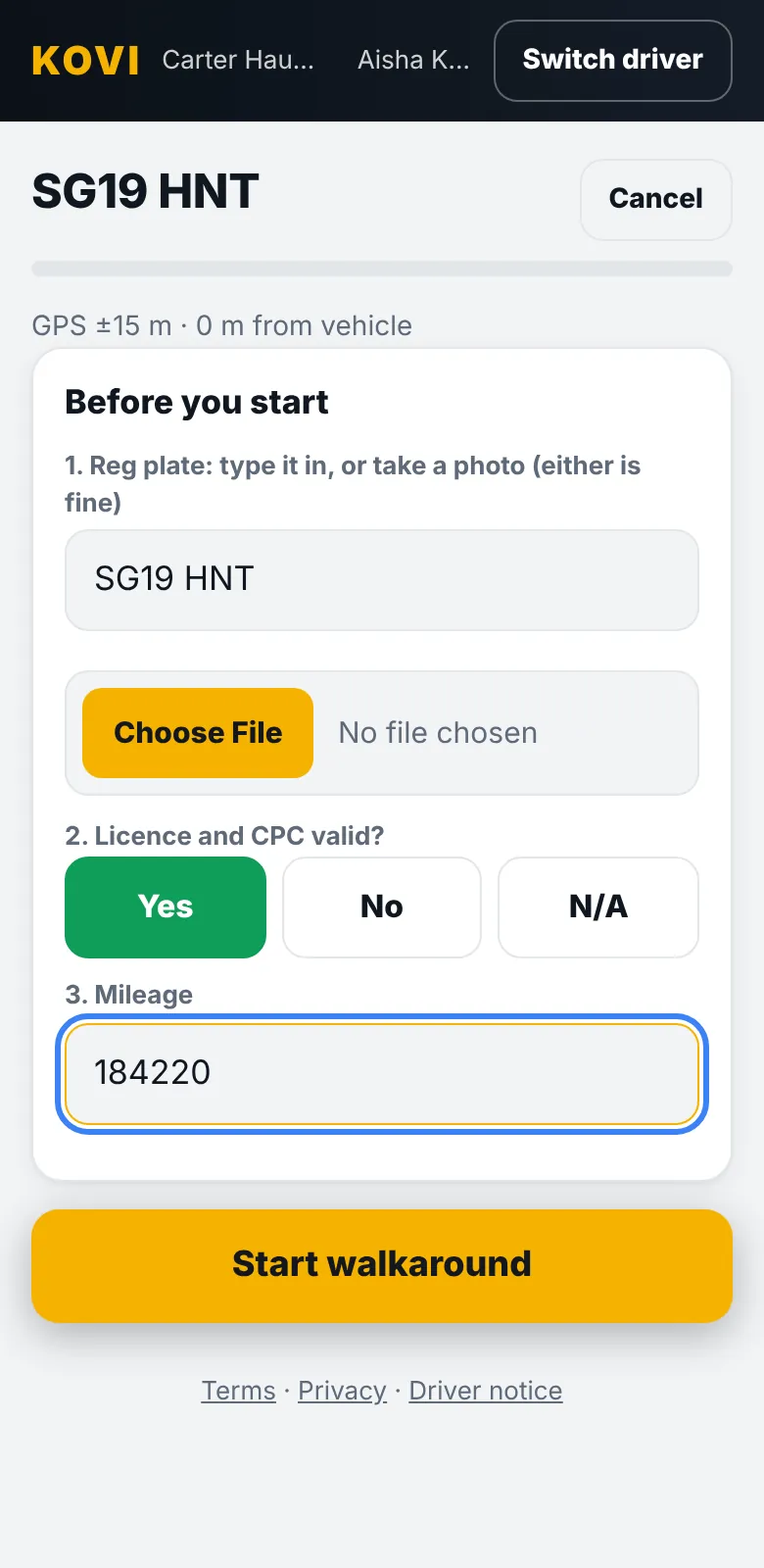
When you add a vehicle in Kovi, it generates a printable QR code sheet. Stick one in the cab, by the door or on the dash. The driver points their phone camera at it and the check for that vehicle opens in the browser. There is nothing to download and no vehicle list to scroll.
Why it matters
- The right check, every time. A tractor unit gets the tractor unit check. A van gets the van check. Drivers cannot pick the wrong one.
- Location recorded. The check records where the phone was when the driver started, so the office can see the check was done at the vehicle.
- No paper to lose. The record exists the moment the driver finishes.
Drivers sign in with a PIN
Drivers do not need an email address or a password. Each driver has a six digit PIN set by the office. They can add Kovi to their home screen so it opens like an app.
Questions
Do drivers need to download an app?
No. The check opens in the phone browser after scanning the QR code. Drivers can add it to their home screen if they want an app icon.
What if the QR sticker gets damaged?
You can reprint the QR sheet for any vehicle from the office screen at any time. The drivers can also pick the vehicle from the list.
Related
Works with no signalDepots, yards and farms have dead spots. Kovi saves the check on the phone and sends it when the signal comes back. Nothing is lost.Custom checklistsBuild the checks your vehicles need. Tick items, number readings, photo items and different checks for different vehicle types.HGV walkaround check guideWhat to check on an HGV before every journey: cab, tyres, lights, leaks, load and trailer. A step by step walkaround with what to record and report.