Report it in seconds
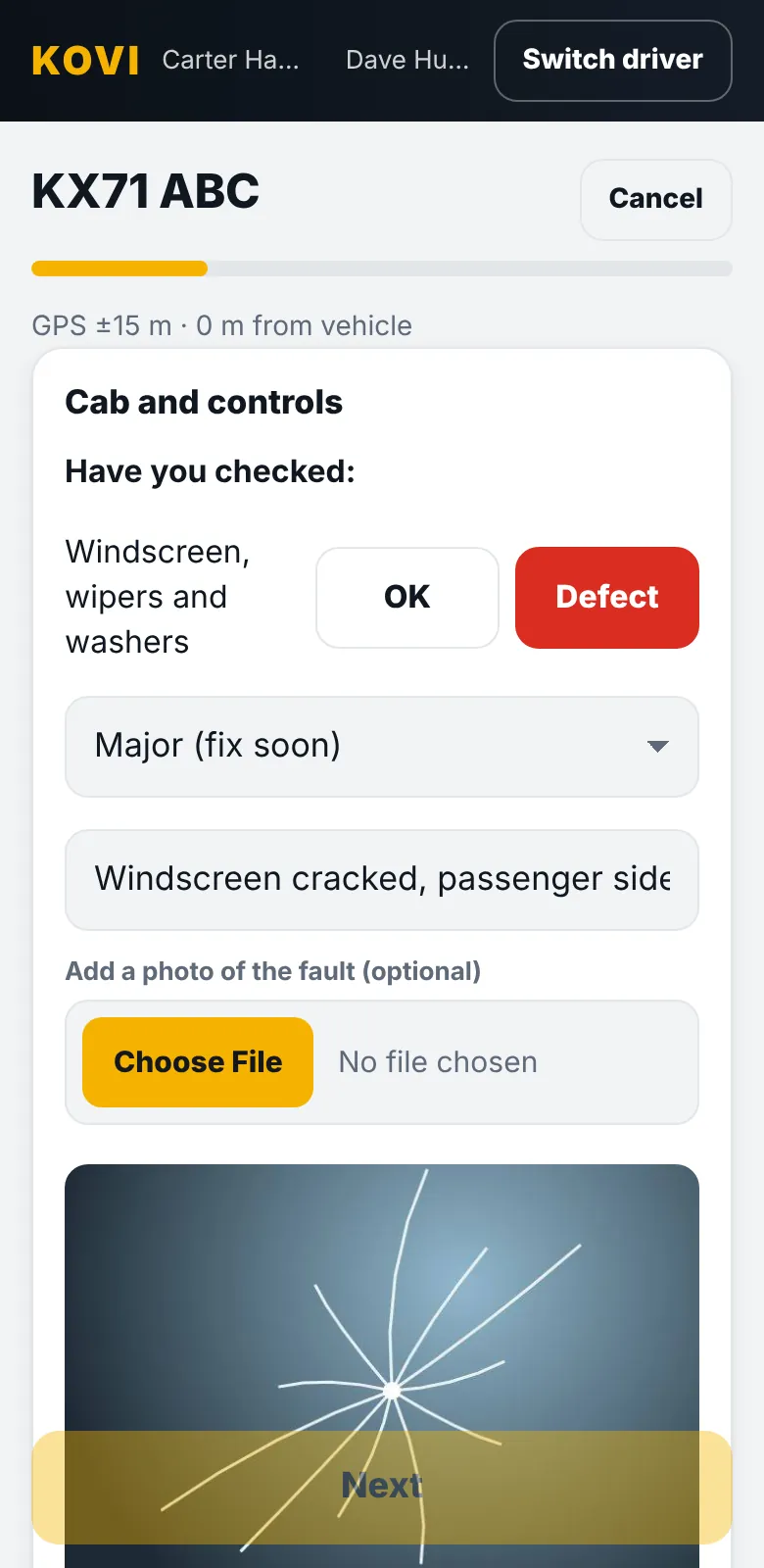
In each section of the check the driver taps Yes, all checked and OK or Something is not right. If something is wrong they describe it and add an optional photo of the fault, from the camera or the gallery.
The office sees it immediately
Defects show on the office screen with the photo, the driver, the time and the vehicle. An email alert goes to the people you choose. You decide what happens next: assign it to a mechanic, mark it fixed, or flag the vehicle.
Close the loop
- Open defects stay visible until someone marks them fixed.
- The next driver sees what has already been reported, so the same fault is not reported five times.
- Every defect keeps its history for each vehicle, so you can show what was found and when it was fixed.
Clear records of defects and what you did about them are a big part of showing a good maintenance system. Our driver defect reporting guide explains what to record.
Questions
Is the photo compulsory?
No. The fault photo is optional. The note is what the office uses to decide what to do.
Who gets the defect email?
The alert email address in your settings, so it can be a shared inbox or your transport manager.